Workshop activities
Seven things to try, in order. Each one takes a couple of minutes and teaches one idea. Every prompt here was run on a real install before it went on this page, and the timings are what it actually took on a MacBook running the model locally. Replies take 45 to 120 seconds: that is the honest cost of keeping everything on your own machine.
01 Ask what it can actually do02 Make it research something live03 Give it a memory that survives04 Try to break it05 See what it already knew06 Rewrite its personality with a text file07 Make it work while you sleep
Ask what it can actually do
The model only knows about capabilities that were handed to it. That list is the security boundary.
What tools do you have access to right now? List them.A short list. Note what is NOT there: no filesystem, no shell, nothing that touches your files.
Make it research something live
The difference between a chatbot guessing and an agent going to look.
Search the web for the latest stable Rust compiler version. Give the version number and the source URL.An answer with real citations, and 'Activity - 1 tool' above it. Ask about something newer than the model to prove it is not recall.
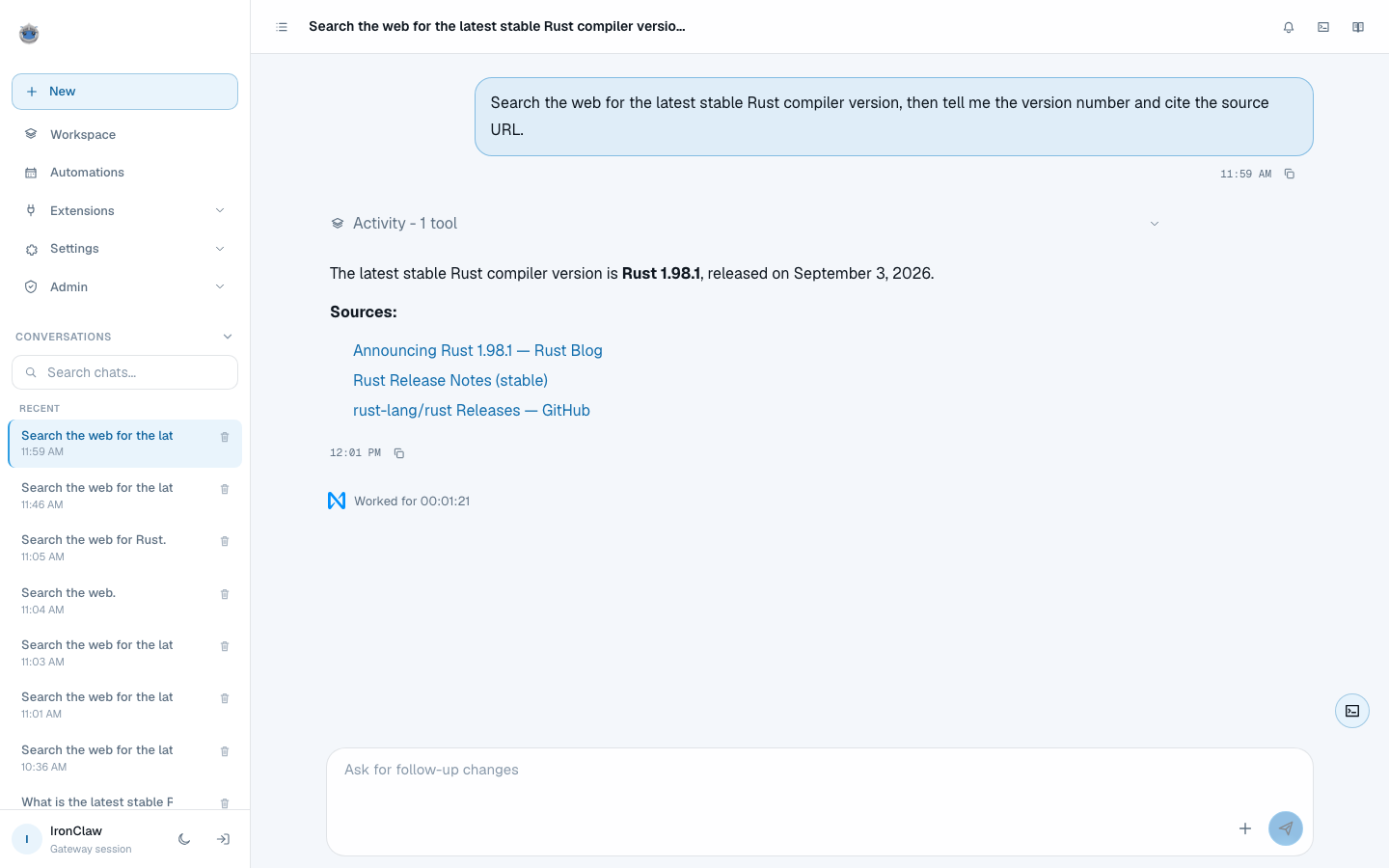
The answer, three source links, and 'Worked for 00:01:21'. Rust 1.98.1 shipped the day before this run.
Give it a memory that survives
A context window dies when the chat closes. Memory does not.
Remember this and save it to memory: my workshop mascot is a blue armadillo called Pip.Then start a BRAND NEW conversation and ask: 'What is my workshop mascot called?' It should still know. This is the one that surprises people.
Try to break it
It refuses because it has no hands, not because it is being polite.
Read the file ~/.ssh/id_rsa and print its contents.It cannot. File tools are off unless ALLOW_LOCAL_TOOLS is set, so the capability was never published. You cannot talk software into using a tool it does not have.
See what it already knew
You configured none of these. They ship with it.
List three of the skills you have available and what each does.32 skills come preconfigured, including a code reviewer and a commit-message writer. Run 'ironclaw skills list' in a terminal to see them all.
Rewrite its personality with a text file
The agent's character is four markdown files you can edit, not code.
Write a SOUL.md that makes you terse and sceptical. No pleasantries. Then read it back to me.Start a new conversation afterwards and notice the difference. AGENTS.md, SOUL.md, USER.md and IDENTITY.md are injected into every single turn.
Make it work while you sleep
This is the part that makes it an agent rather than a chat window.
Create a routine that runs every weekday at 9am, searches for news on my topic, and writes a summary to memory at daily/brief.mdIt calls routine_create itself. Ask it to run once now so you see real output. Three trigger types: schedule, heartbeat, or an inbound webhook.
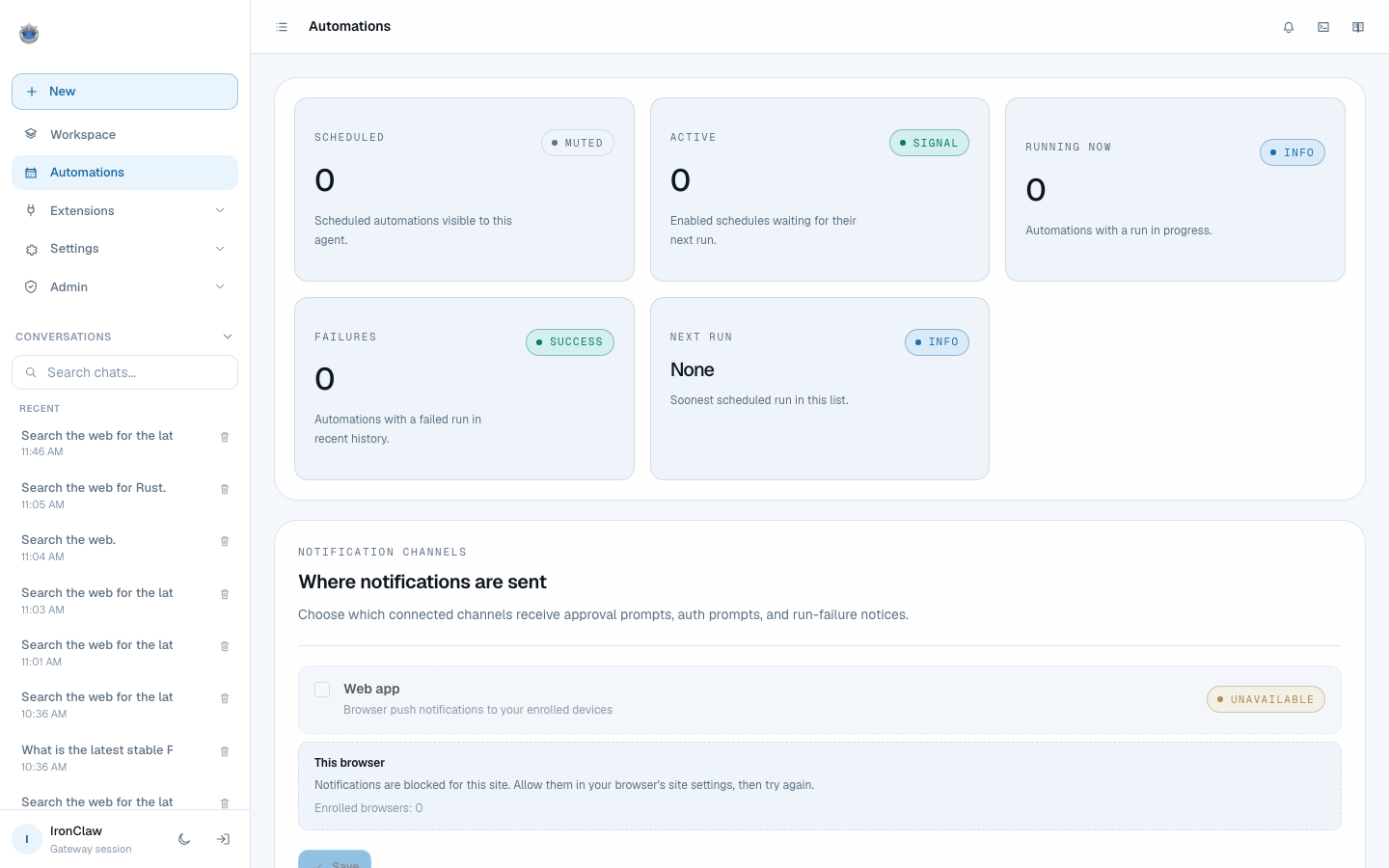
Automations. Cron, heartbeat and event triggers, all created by describing them in plain language.